Rogue SubVision AI: Force Subtitles onto Any Stream
A downloadable tool for Windows and Android
Description:
Have you ever found a movie or TV show on a streaming site, but it didn't have subtitles? Or maybe the subtitles were in the wrong language?
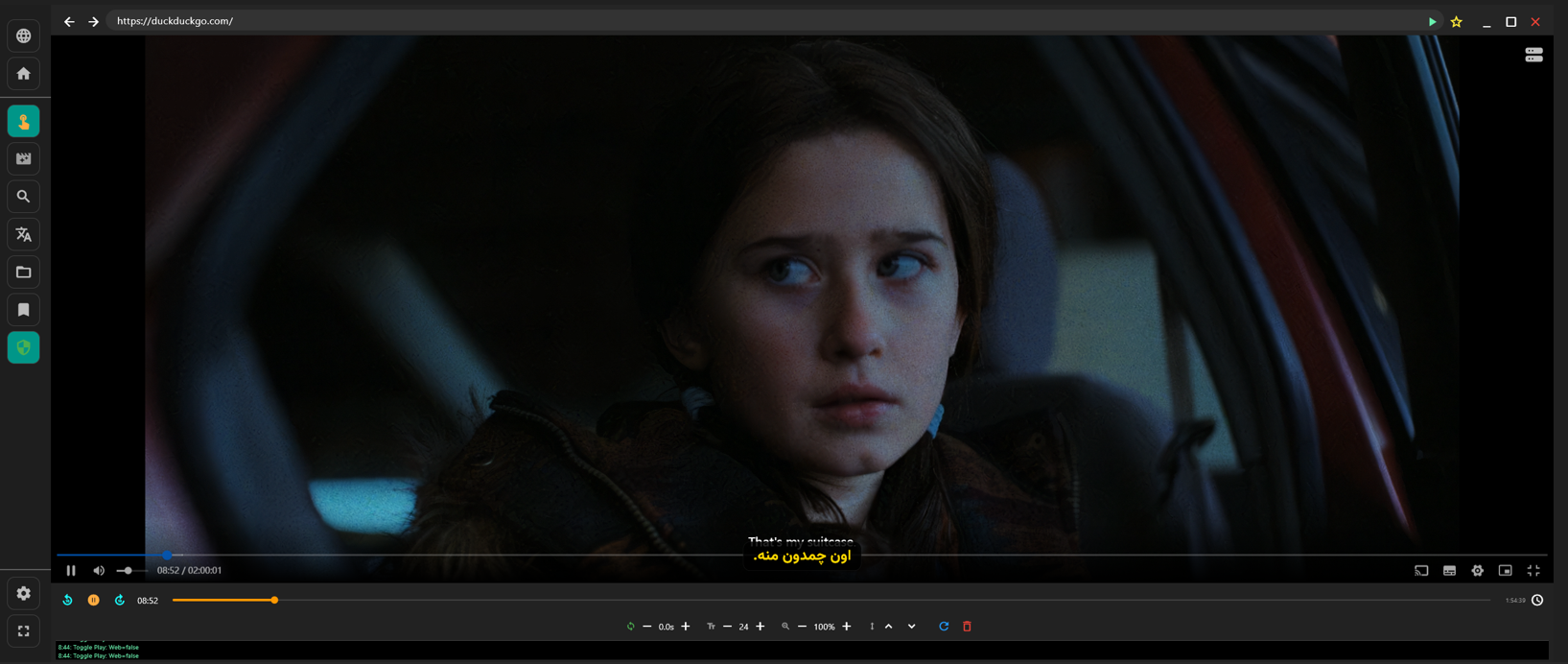
Rogue SubVision AI is a specialized media browser designed for Windows and Android TV. It allows you to load your own subtitle files (`.srt`) and overlay them directly onto **any** website. But it doesn't stop there—it uses **Google Gemini AI** to translate those subtitles into your language in real-time.
Key Features:
🎥 Universal Sync (Omni-Spy): The app automatically detects video players on web pages and synchronizes your subtitle file to the video playback.
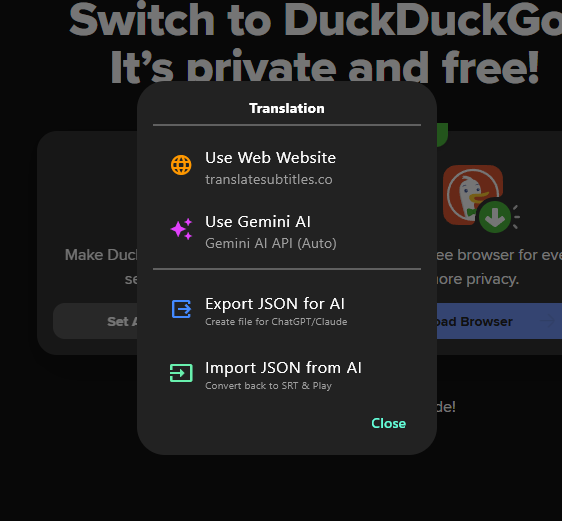
🤖 AI Translation: Connect your free Gemini API key to translate subtitles instantly (e.g., English to Persian) with high accuracy.
📺 Android TV Optimized: Includes a "Virtual Mouse" and D-Pad navigation support, making it easy to control web browsers with a standard TV remote.
🎨 Overlay Mode: Detach subtitles from the bottom panel and float them directly over the video, just like Netflix or YouTube.
🕵️ Privacy First: Built-in AdBlocker and uses DuckDuckGo by default to keep your streaming tracking-free.
⚙️ Power User Tools: Manual sync adjustment, time jumping, text resizing, and deep-drill video detection for complex desktop sites.
How it Works:
1. Browse to your favorite streaming site.
2. Import a `.srt` file from your device (or USB on TV).
3. The "Omni-Spy" engine locks onto the video.
4. Enjoy perfectly synced subtitles or use the AI to translate them on the fly!
Platforms:
Windows (10/11)
Android (Mobile & Android TV)
Download


Leave a comment
Log in with itch.io to leave a comment.